Skip to content
Filip WróbelProduct designer
All case studies

From the doorstepto the locker

Shops decide how a GLS parcel is delivered; only about 5% went to a locker or pickup point. I redesigned myGLS so recipients can change that after checkout: they see when the courier will come, and redirect to a locker when plans change.

My role
UX Designer
Duration
2024–2025
Company
GLS Poland
Platforms
iOS, Android
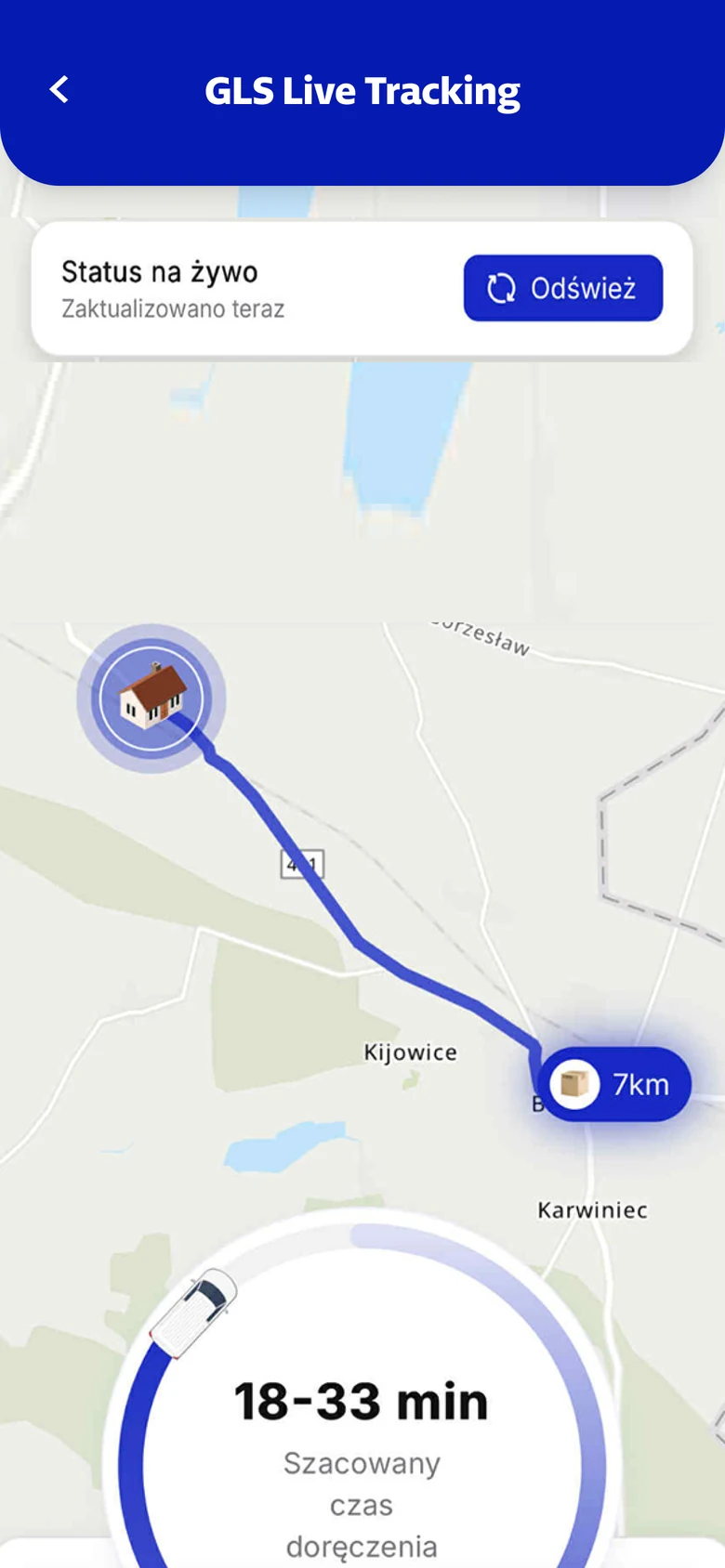
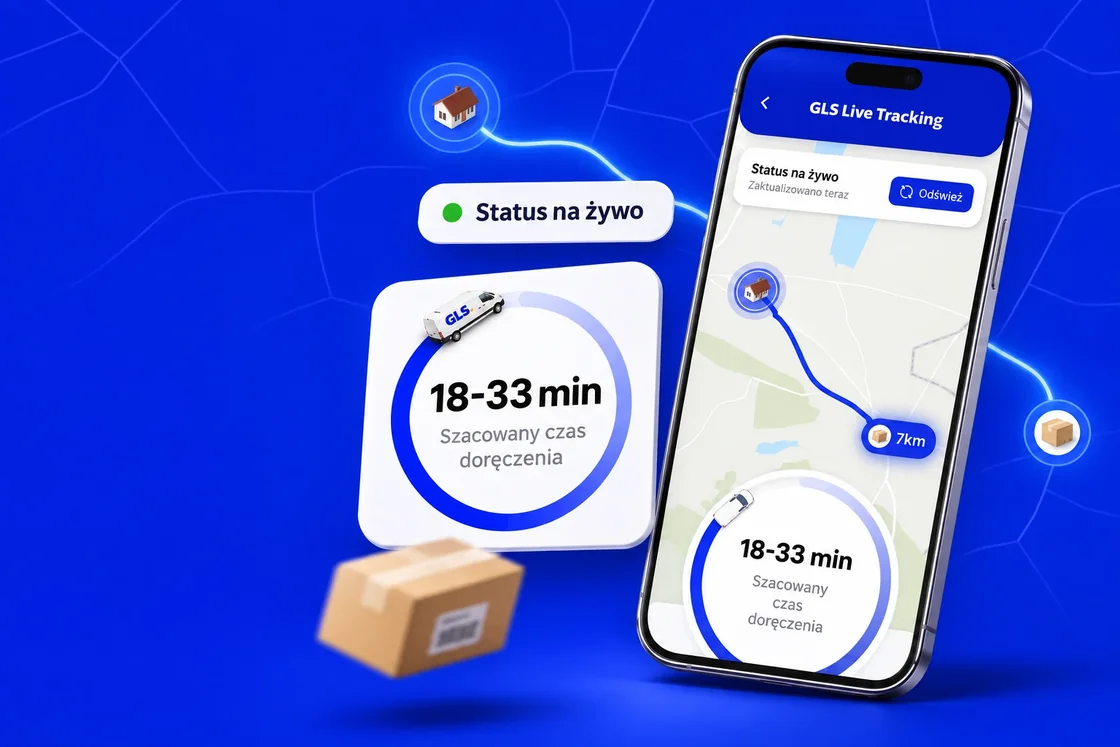
Illustration: the myGLS Live Tracking screen on a phone over a cobalt map, the courier 7 km away and an estimated delivery time of 18–33 minutes
  • 1 in 3

    home deliveries tracked in the app, redirected to a locker

  • 3.2 to 4.7

    Google Play rating, team result

  • 300k+

    monthly active users, team result

01 Context

Almost every parcelwent to the door

I was GLS Poland’s only in-house designer: I proposed the scope, designed the tracking, redirect and sending flows, and built the design system.

Where GLS stood

Almost every GLS parcel went to the door. From October 2024, a locker network was there to send them to.

  • ≈5%

    of GLS parcels went to a locker or pickup point

  • 13,000

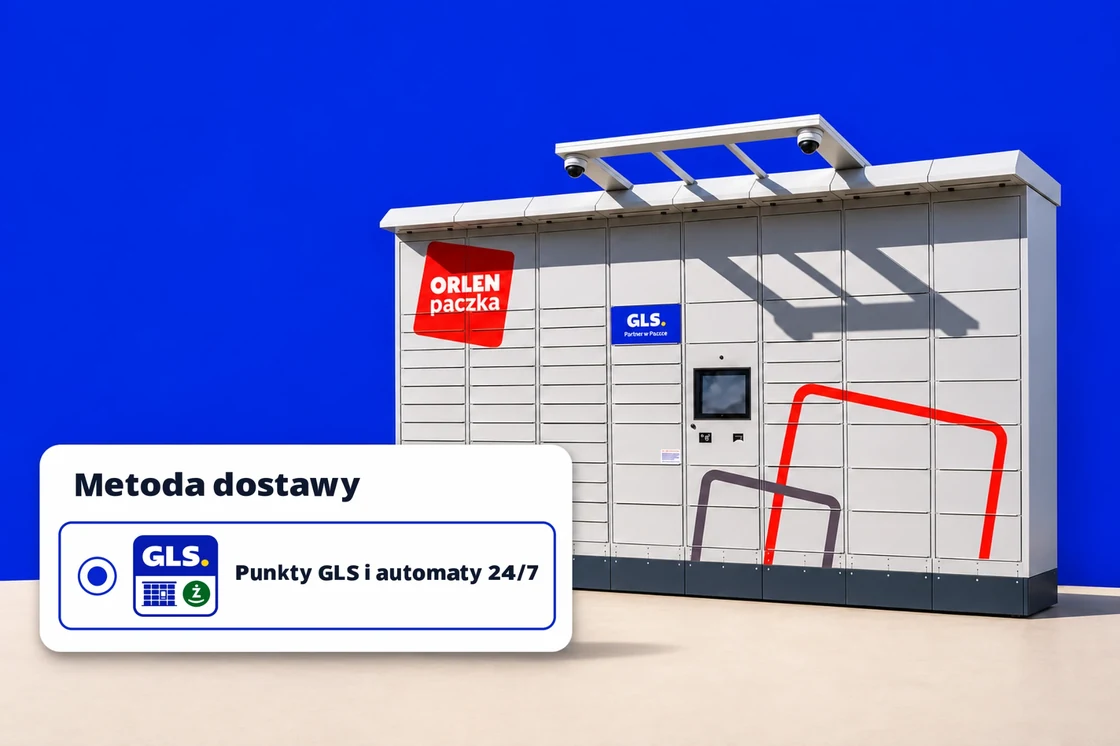
    ORLEN Paczka lockers and pickup points open to GLS parcels from October 2024

When I joined myGLS · Jul 2024

Statuses to read, hours late

myGLS 1.0 listed a recipient’s parcels, but statuses arrived late and recipients could only read them. There was no way to act on a parcel in the app; redirects lived only on the GLS website.

6–8 hhow late a parcel’s status reached the app
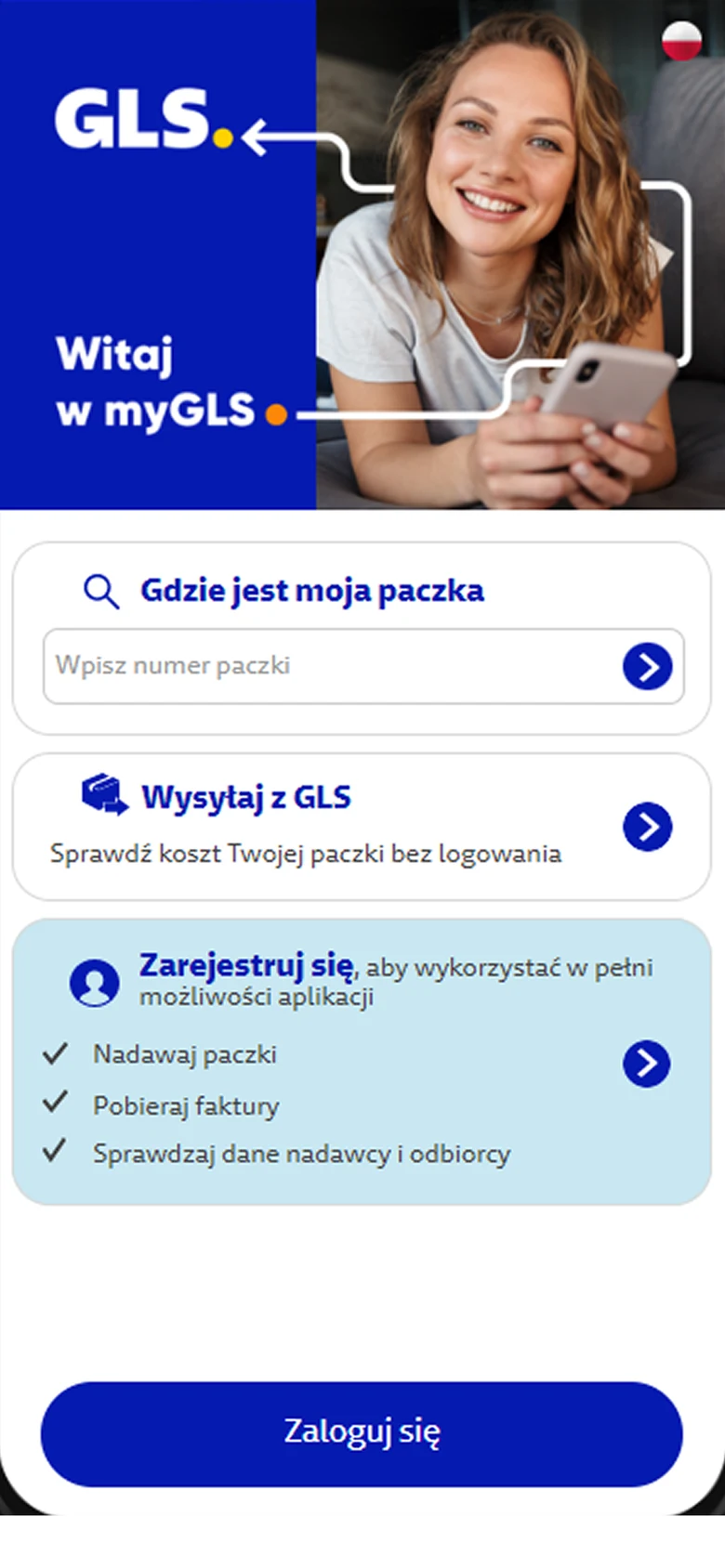
  • The old start screen, “Witaj w myGLS” (Welcome to myGLS), with a photo of a smiling woman holding a phone: a field for the parcel number under “Gdzie jest moja paczka” (Where is my parcel), “Wysyłaj z GLS” (Send with GLS), a box asking to sign up to send parcels, download invoices and see sender and recipient details, and “Zaloguj się” (Sign in)

    Start

    A parcel number to type, and an account for the rest
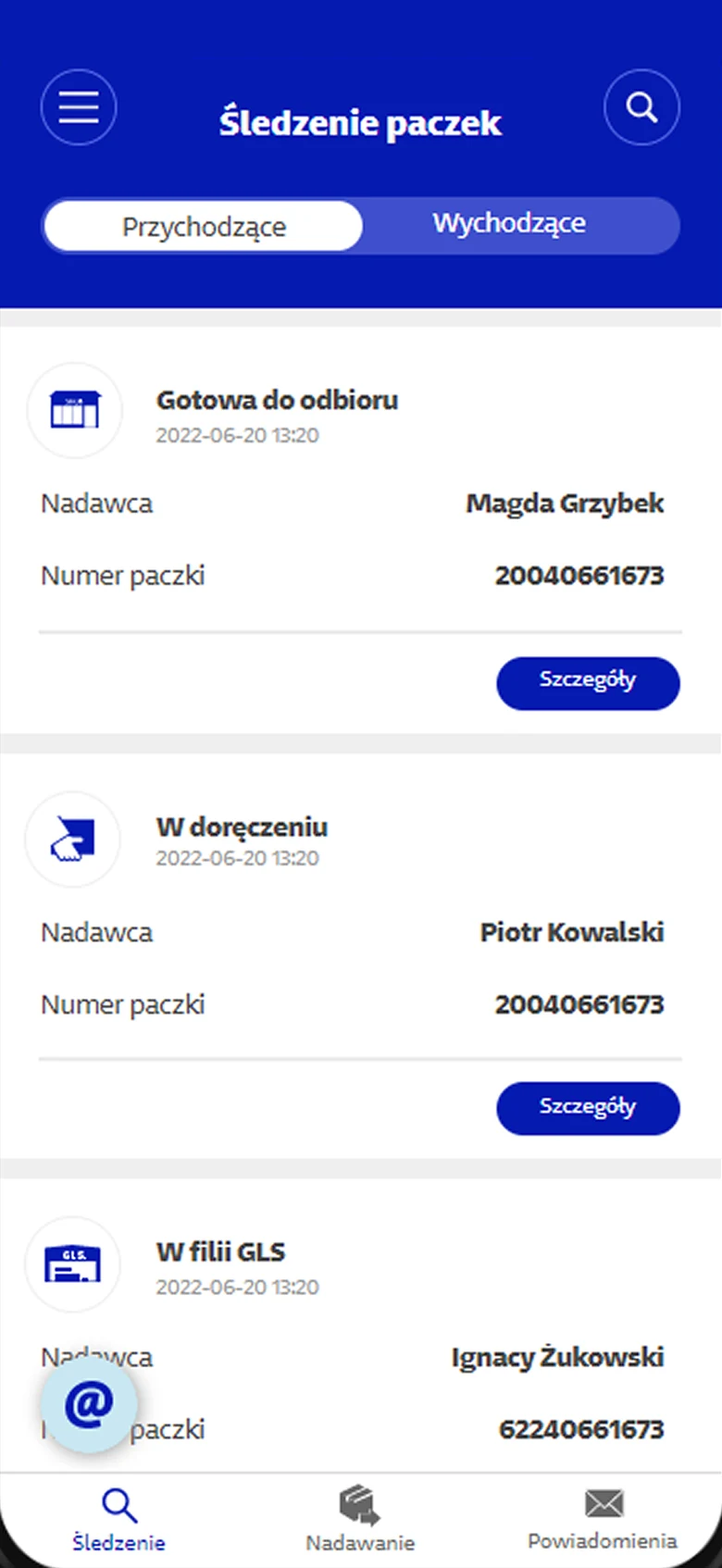
  • The old parcel list, “Śledzenie paczek” (Tracking parcels), with Incoming and Outgoing tabs: a parcel ready to collect, one out for delivery and one at a GLS depot, each with the sender, the parcel number and a Details button

    Parcel list

    Ready to collect, but only a Details button
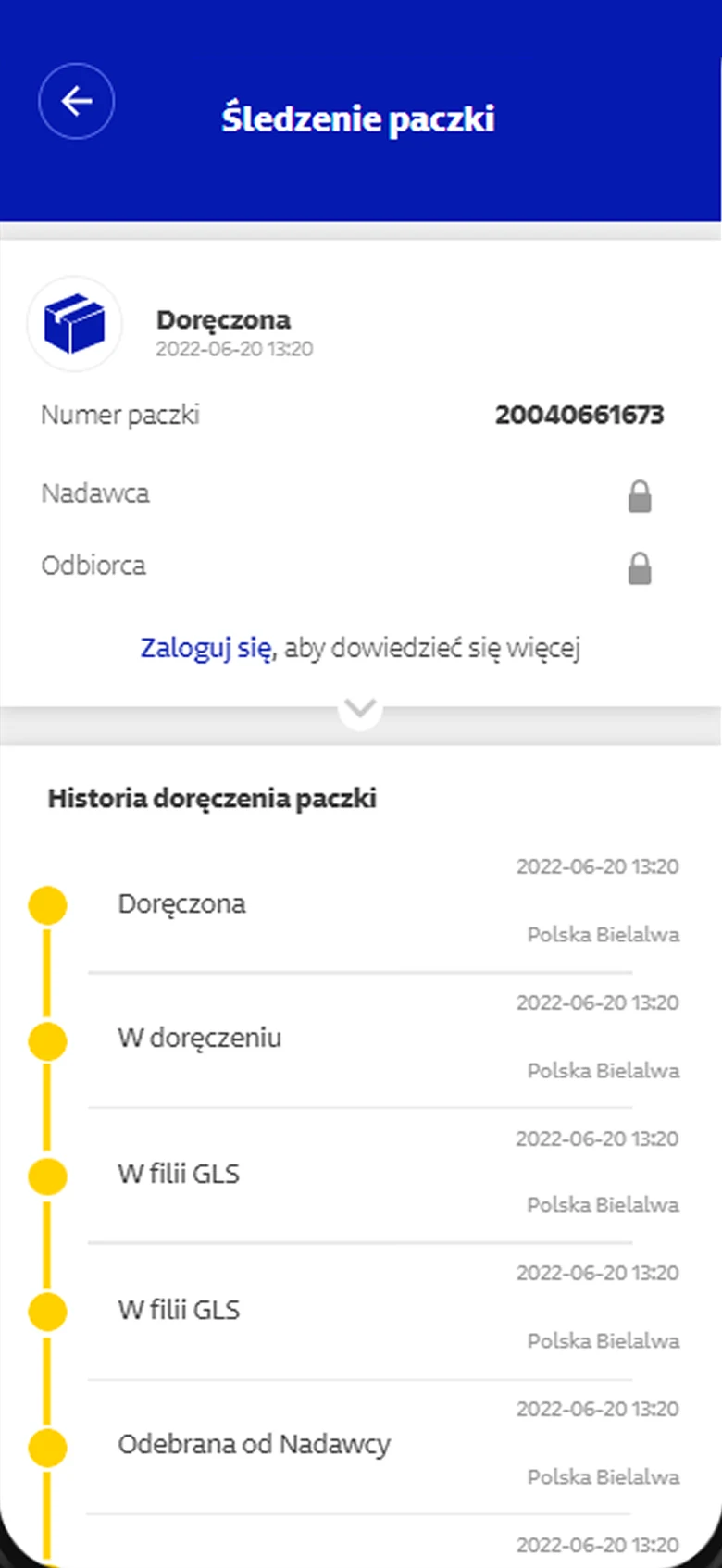
  • The old tracking screen, “Śledzenie paczki” (Tracking a parcel): the status Delivered and the parcel number, the sender and recipient locked behind “Zaloguj się” (Sign in), and the delivery history from pickup to delivery

    Tracking

    A history of statuses, nothing to act on

myGLS 1.0, from the design files
The brief

GLS was far behind competitors on mobile. The board wanted an app recipients would use, and one that served the business.

A contractor had already drawn the next release, without a link to how GLS earns. I proposed starting with recipients and tying each decision to one of three business numbers.

Who I worked with

  • Business owner for myGLS
  • External development team
  • GLS operations
  • BettermileCalculates GLS’s arrival estimates

One number led: cost per parcel

GLS earns on every parcel. A courier leaves many parcels at a locker or pickup point in one stop, so each costs less than a doorstep delivery. The cost wasn’t measured, so redirects became its signal.

  • The number this case is about

    Cost per parcel

    More parcels go to a locker or pickup point instead of the door, and fewer deliveries fail.

  • Secondary

    Volume

    More shops and shoppers choose GLS at checkout. That is the Pickup case.

  • Secondary

    Revenue per parcel

    People pay for services in the app, such as sending a parcel, from a later release.

Limits I designed within

  • Shops choose the delivery option. GLS doesn’t own the checkout, so myGLS has to work for recipients who never chose GLS.
  • Bettermile owns the arrival estimate. I designed how recipients see it.
  • A courier’s location is sensitive. It is personal data, so the app can’t show it all day.

02 Problem

No arrival time,no way out

Shoppers choose home delivery days ahead. On the day, myGLS 1.0 gave them neither a time to plan around nor a way to change course.

What recipients neededTo know when the courier comes, and to change course if that time doesn’t suit them.

03 Discovery

Recipients alreadyknew what they wanted

GLS needed a direction fast, so there was no time for interviews. I mapped a purchase in seven stages and checked each against what I could get quickly: market reports and competitor app reviews.

  1. 01

    Market reports

    Gemius, DHL · 2024 and 2025 editions

    Fact

    More than twice as many shoppers name lockers as couriers

    Most-used delivery methods

    • Lockers83%
    • Courier39%

    Share of Polish online shoppers who list each among their most-used delivery methods.

    Gemius, E-commerce in Poland 2025

    79%

    of Polish online shoppers would abandon their purchase if their preferred delivery option were missing.

    DHL, E-Commerce Trends 2025, Poland

    My readingRecipients already chose lockers. A GLS parcel sent to the door went against that habit.

  2. 02

    App reviews

    Several hundred store reviews of InPost, DPD, DHL and ORLEN Paczka · 2024

    Signal

    Competitor app reviews show three ways recipients get let down

    Redirects fail

    “There’s no way at all to redirect the parcel. Even when I start from the website, it won’t go any further.”

    „Nie można w żaden sposób przekierować przesyłki…”

    Mój DHL · ★1 · Dec 2024

    Features don’t work

    “It doesn’t show any information about the parcel. If it weren’t for the text messages, I wouldn’t have known I had a parcel to collect.”

    „Nie wyświetla info o przesyłce…”

    ORLEN Paczka · ★1 · Jan 2024

    Too much in the way

    “Unnecessary extras make it less clear. It takes longer to reach remote locker opening. The better is the enemy of the good.”

    „…nie potrzebne »urozmaicenia« czyniącą ją mniej czytelną…”

    InPost Mobile · ★4 · Nov 2024

    Examples from 2024 App Store reviews of three of the four apps, translated from Polish and shortened.

    My readingA redirect that works was a gap competitors left open.

  3. 03

    Journey map

    7 stages, from choosing a product to after delivery

    Assumption

    Certainty dips at checkout and while waiting

    Where certainty dips across a purchase

    • Certainty dips
    • Stages 4–7: myGLS and Live Tracking
    1. 01Need
    2. 02Order
    3. 03CheckoutCertainty dips: Choosing days ahead
    4. 04Confirmation
    5. 05WaitingCertainty dips: Waiting or redirecting
    6. 06Collection
    7. 07After delivery
    Certainty means how sure a shopper is of when and where the parcel will arrive.

    My readingThe first dip comes in the shop, when the shopper commits to a delivery option days ahead. The second, while the recipient waits, is the one GLS’s own app can reach. That is where the redirect to a locker has to be offered.

Hypothesis

If the app gives recipients the time and the choice, they will use the locker on their own terms, more often than if they were pushed there.

The design goal

Full control over the delivery: the courier when it suits, a locker when it doesn’t.

04 Decisions

Time to plan,freedom to switch

Three shipped decisions and one after my handover. Each gives recipients more control and aims to lower the cost per parcel.

Decision 1 of 3

Recipients first

Shipped

The questionWho should the first release serve?

  • Not chosen · A · Senders first. The first plan: paid sending, for direct revenue, but only a small share of people send parcels.

  • Chosen · B · Recipients first. Tracking, arrival times and redirects for anyone who receives a GLS parcel.

Why I proposed itEvery GLS parcel has a recipient, and redirects happen on the recipient’s side. Tracking gives them a reason to install the app; then the app can offer a locker.

Trade-off
Paid sending came in a later release.
My role
I proposed it; the business owner for myGLS approved it.

Actions on a parcel, in the current app

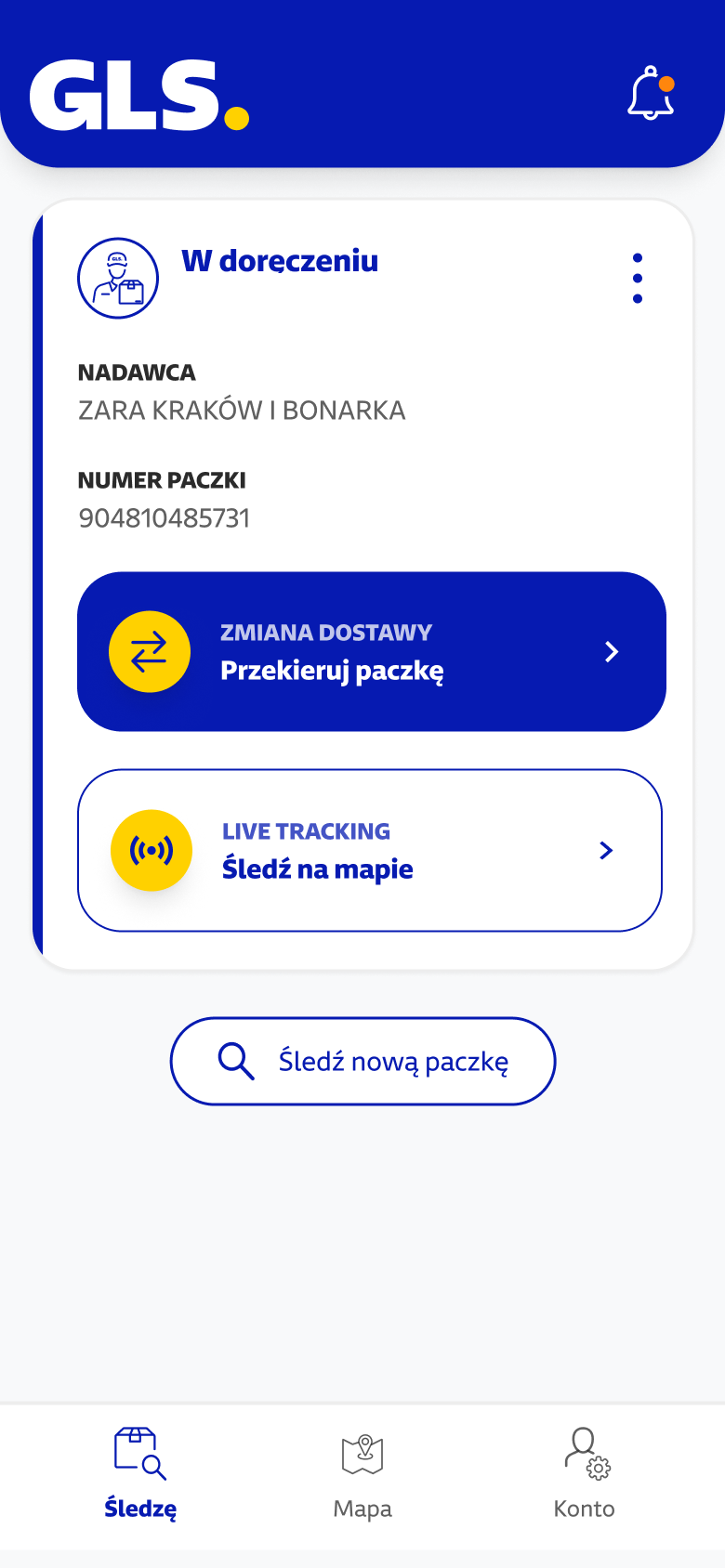
myGLS, a parcel out for delivery with two actions: Change delivery, Redirect the parcel, and Live Tracking, Track on the map
  1. Out for deliveryThe courier is on the way today.

  2. Redirect the parcelThe redirect to a locker, right on the parcel card.

  3. Live TrackingWhen the courier will arrive, on a map.

  4. Three tabsTracking, the map of pickup points and the account.

Decision 2 of 3

Time first, map last

Shipped

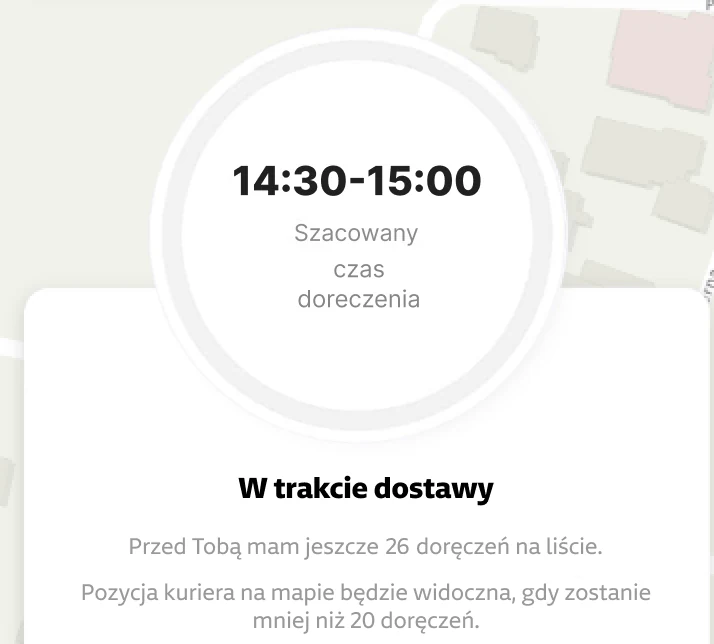
ContextLive Tracking counts the courier’s progress in stops: the deliveries left before the recipient’s. Bettermile proposed starting 30, 40 or 50 stops out: the earlier the start, the sooner a time appears, but the wider the window and the more it drifts.

The questionWhen should the courier appear on the map?

  • Not chosen · A · 30, 40 or 50 stops, as proposed. Ruled out: a wide window that drifts, and the courier’s location, which is personal data, on the map for longer.

  • Not chosen · B · A narrower range. Minutes before the doorbell, too late to plan around.

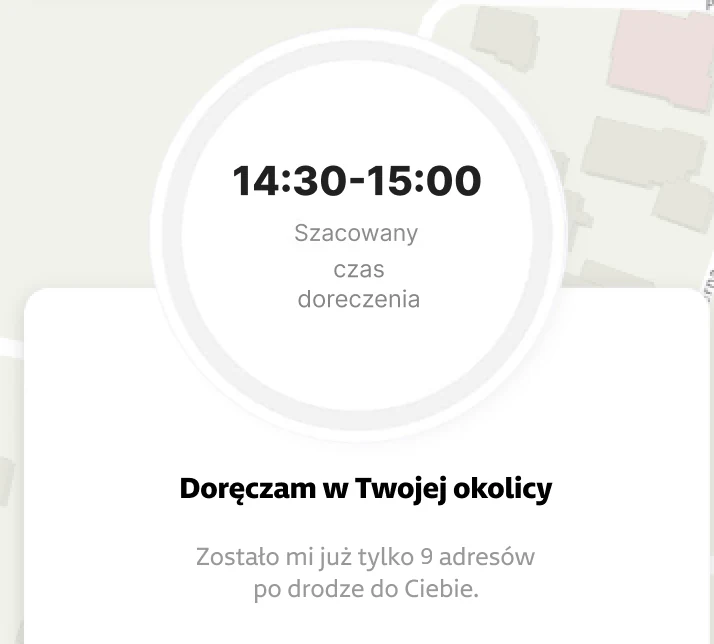
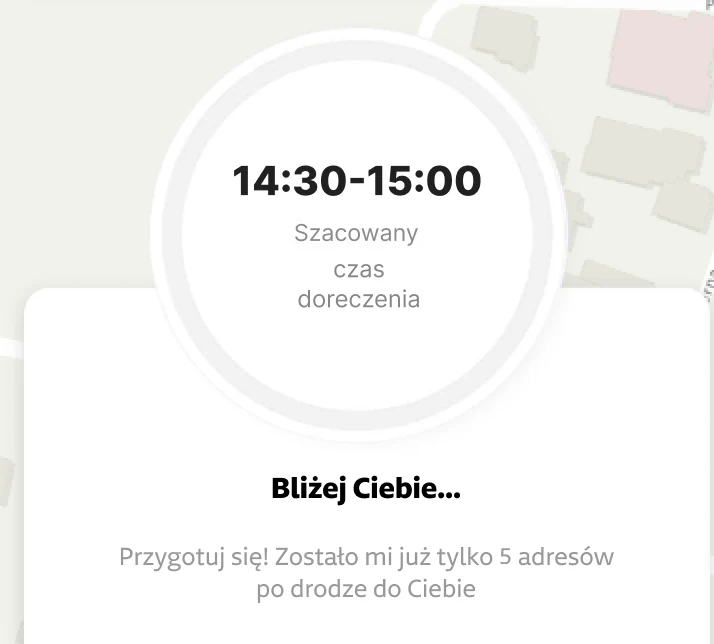
  • Chosen · C · The last 20 stops. Enough time to plan, and the courier isn’t on the map all day.

Why I recommended itRecipients plan around a time: it tells them early whether the courier fits their day. Near the end, the map shows the courier is coming.

Trade-off
Until the last 20 stops, recipients see a time window, not the courier.
My role
I designed the Live Tracking screens and their end states, wrote the copy and recommended the 20-stop range. Bettermile provides the arrival estimate.

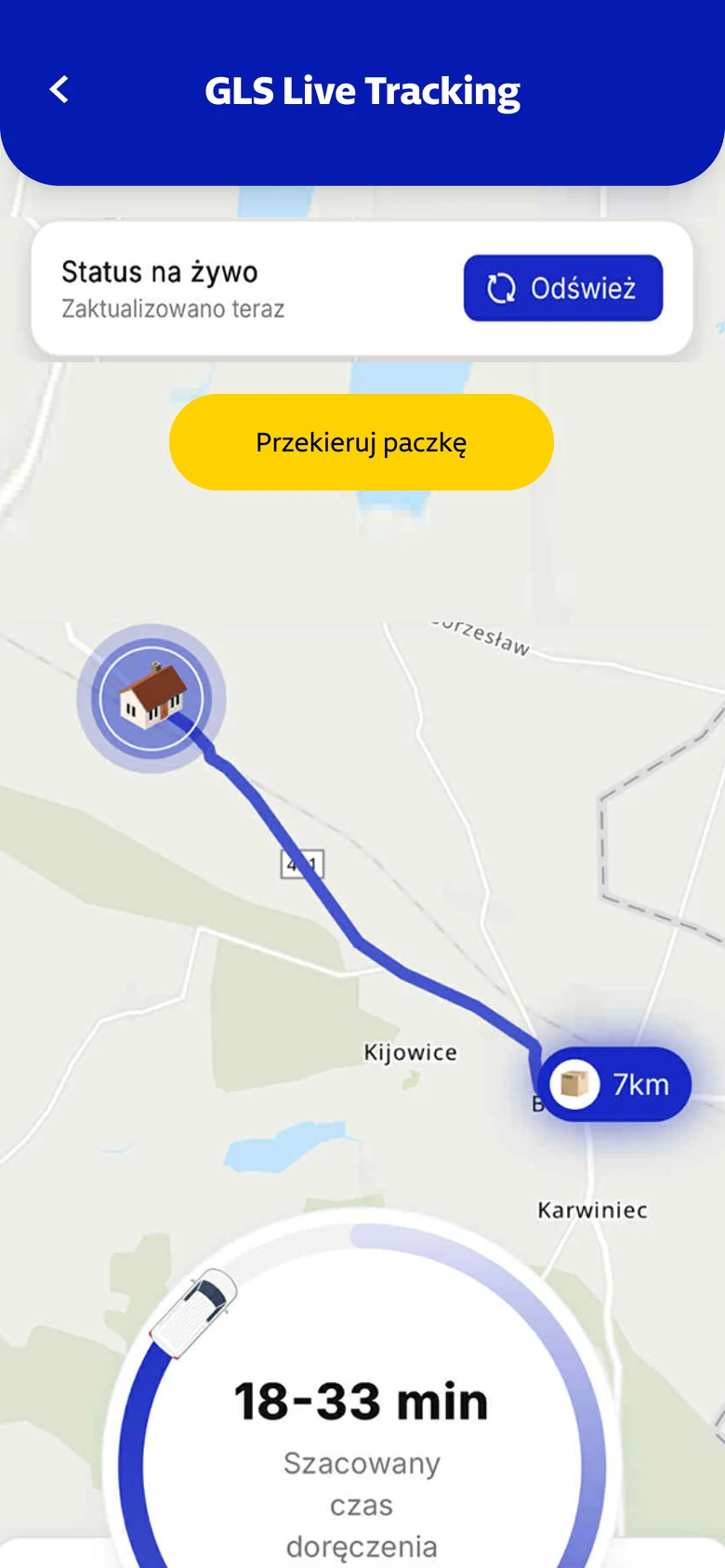
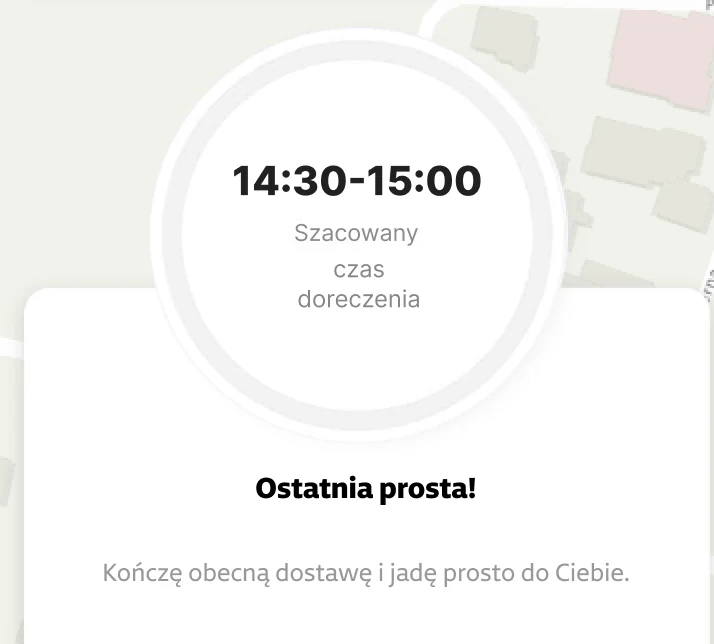
Live Tracking in the last 20 stops

myGLS Live Tracking: the route from the courier to the home on the map, 7 km, and an estimated delivery time of 18–33 minutes
  1. Estimated time18–33 min, in the largest type on the screen.

  2. Courier, 7 km awayOn the map only in the last 20 stops.

  3. DestinationThe recipient’s home.

  4. Live statusWhen the position was last updated, with a refresh button.

How the day ends

  • Paczka doręczona

    Gdzie: automat paczkowy. Kiedy: godzina i data.

    Delivered: Where it went and when.

  • Paczka niedoręczona

    Odbiorca był nieobecny.

    Not delivered: The reason, in plain words: nobody was home.

  • Paczka niedoręczona

    Wystąpił problem z adresem.

    Not delivered: A problem with the address.

  • Przepraszamy, brak informacji o przesyłce

    Spróbuj ponownie później.

    No data: An apology and what to do, instead of an error.

Decision 3 of 3

The locker as an option, not a push

Shipped

ContextRedirects existed only on the GLS website. I adapted the flow for the app and decided what it offers first. It stays open until the parcel reaches the local depot.

The questionWhen the courier doesn’t fit, what should the app offer first?

  • Chosen · A locker first, at hand. Redirect right on the parcel card, a locker or pickup point first in the list, and a notification that offers the nearest one.

Why I chose itRecipients already preferred lockers, and couriers already took parcels to the nearest point when nobody was home. So the locker had to be the easiest choice, not one of four.

Notification
“Won’t be home? There’s a 24/7 GLS pickup point nearby. Redirect your parcel.”
Trade-off
A new address, a new date or refusing the parcel sit lower in the list.

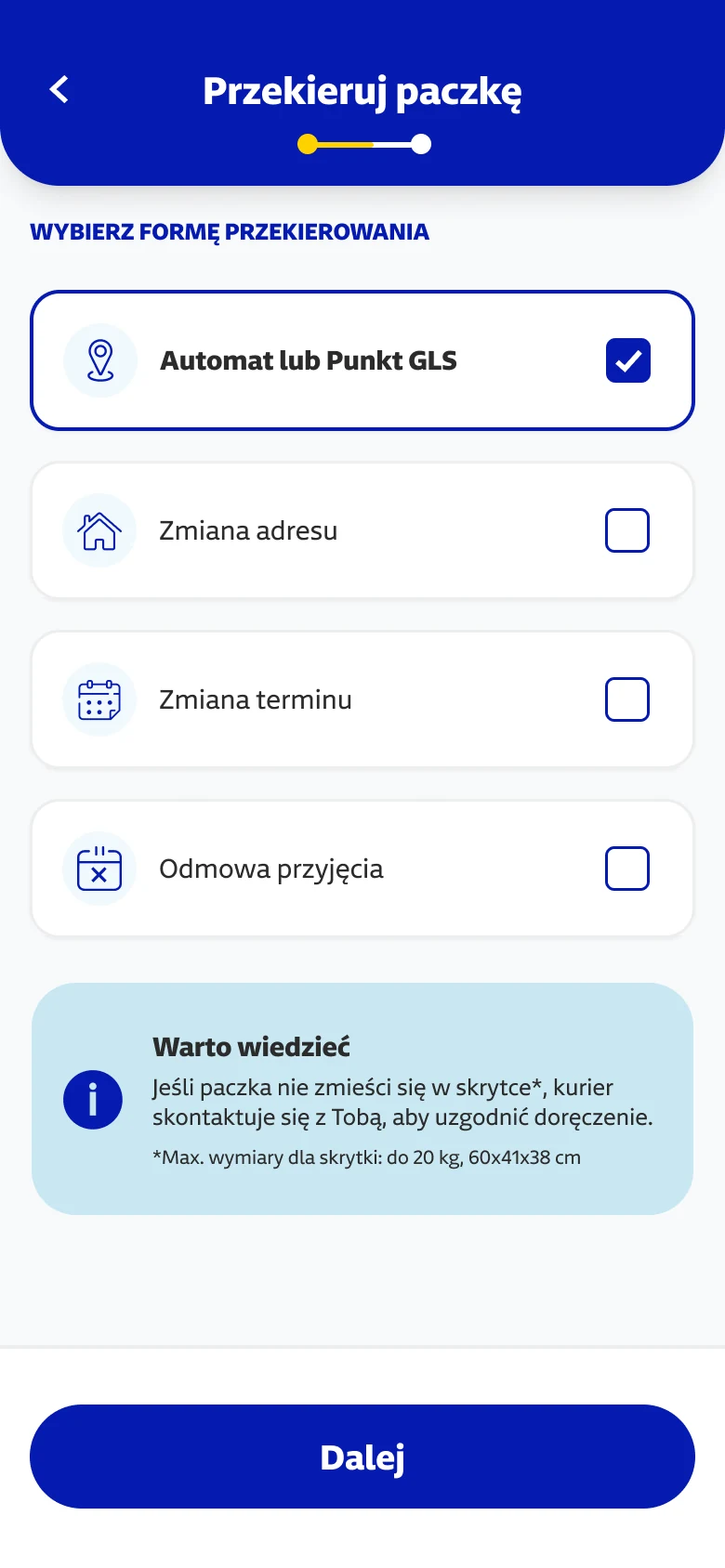
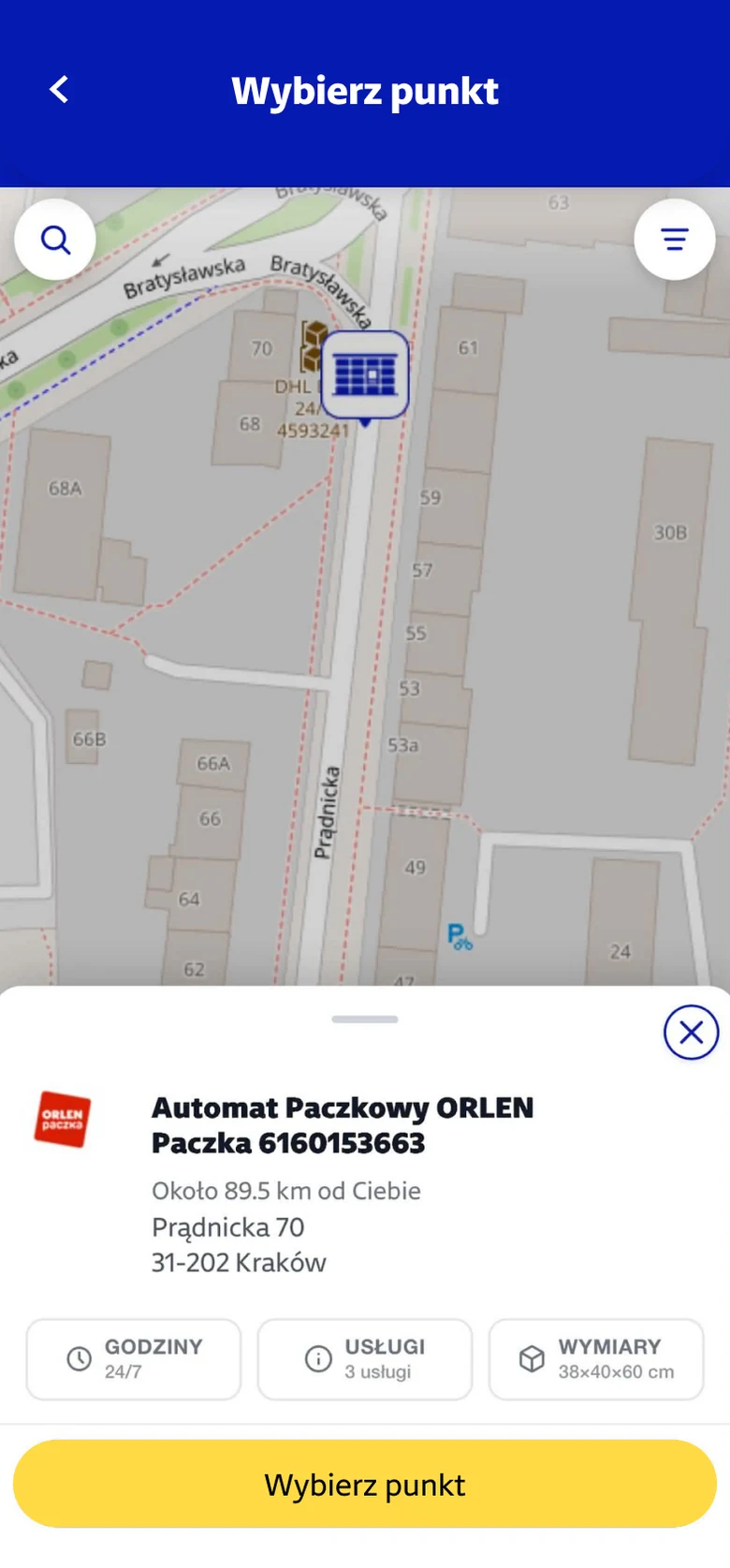
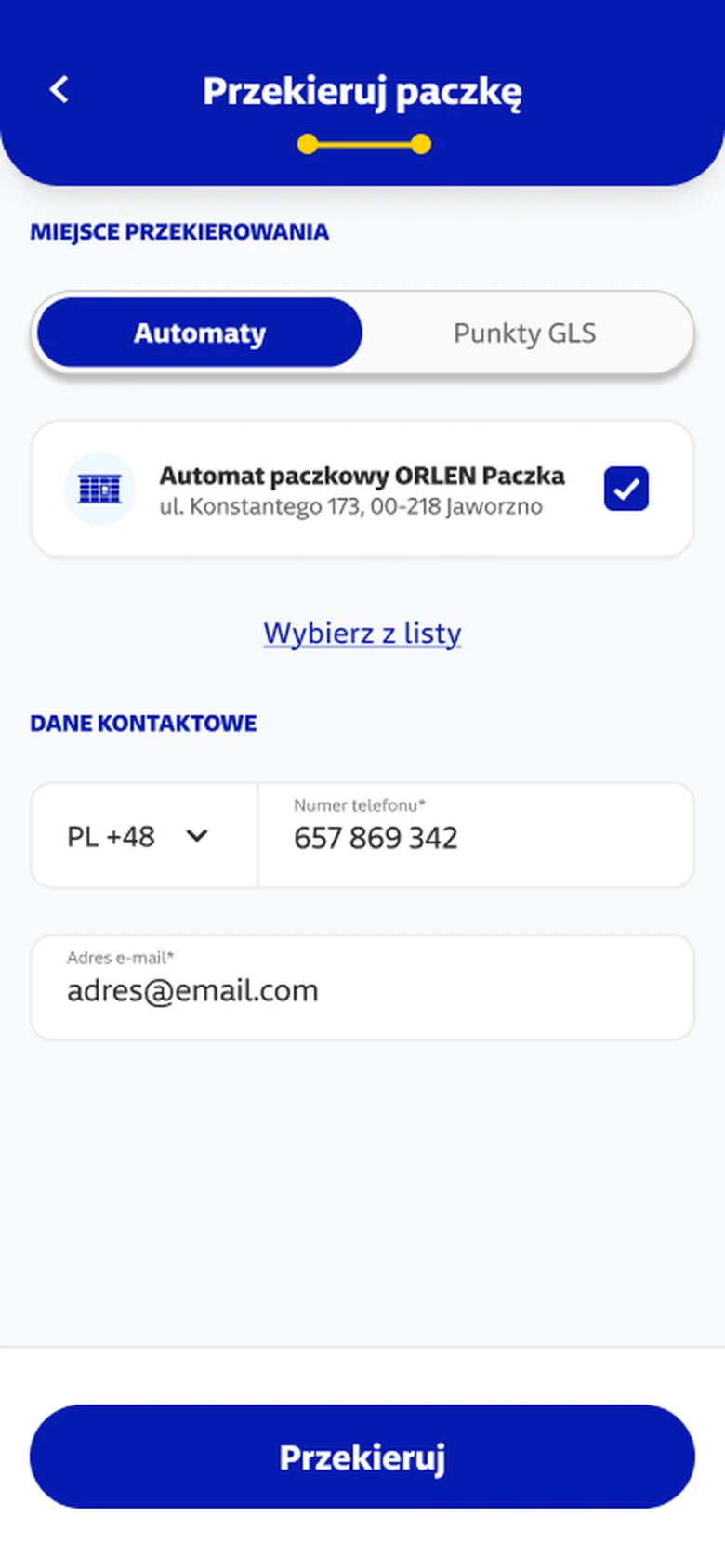
Redirecting a home delivery to a locker, step by step

  1. Redirect the parcel, step 1: Locker or GLS pickup point first in the list; below it a new address, a new date and refusing the parcel; a note that the courier calls if the parcel won’t fit a locker

    1Choose how

    A locker or pickup point comes first. If the parcel won’t fit, the courier calls.

  2. Choose a point: an ORLEN Paczka locker on the map, with a sheet showing opening hours 24/7, services, compartment size and Choose this point

    2Pick a point

    Hours, services and compartment size in one sheet.

  3. Redirect the parcel: the Lockers tab, an ORLEN Paczka locker selected with its address, Choose from the list, the contact phone and email filled in, and an active Redirect button

    3Confirm

    The chosen locker, the contact details, one button.

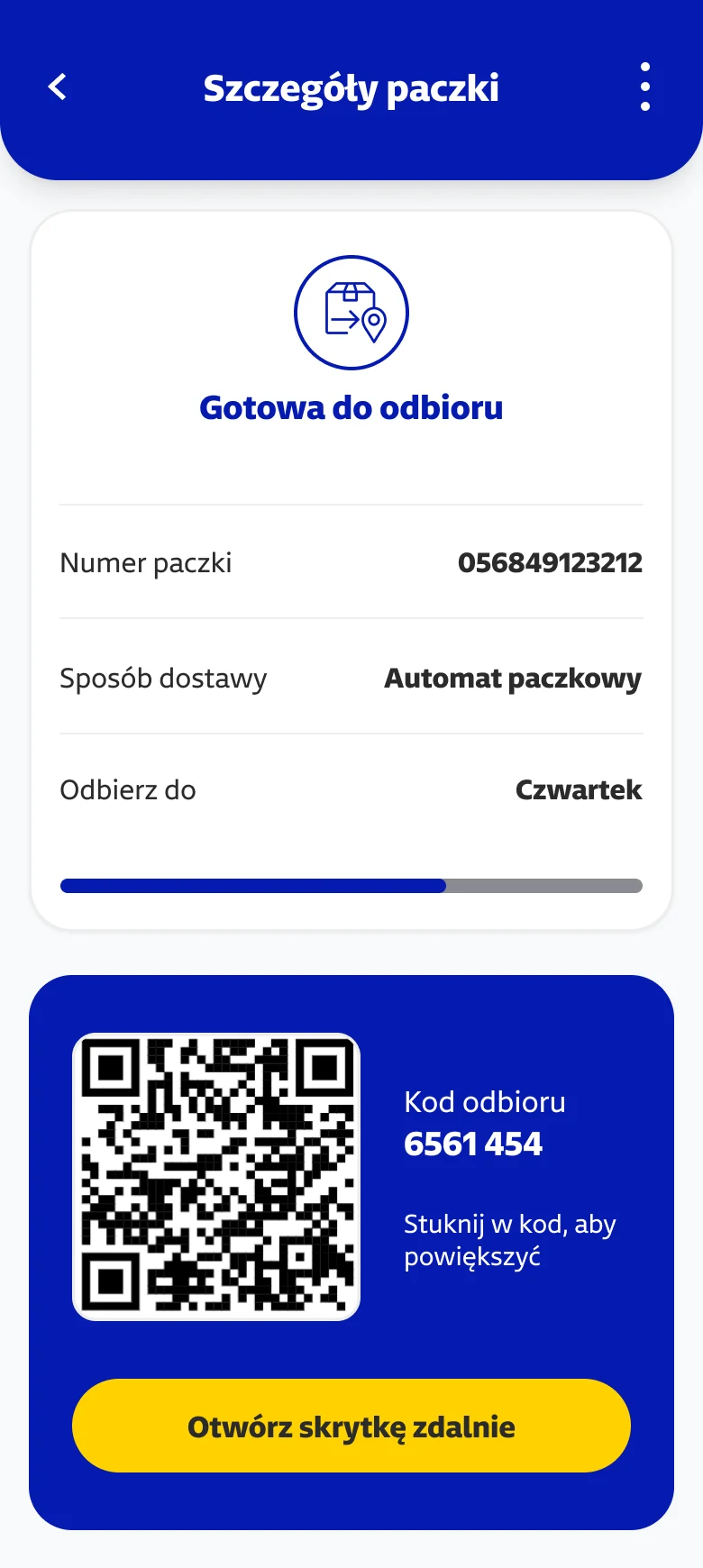
  4. Ready to collect: the parcel number, delivery to a parcel locker, the pickup code with a QR code, and Open the locker remotely

    4Ready to collect

    The pickup code, and the locker opens from the app.

Where app redirects go

  • 7 in 10to a locker or GLS pickup point
  • 23%to a new address
  • The resta new date, or refusing the parcel
Shares of redirects made in the app, from GLS data. The choice is the recipient’s; the app only offers it.

Next step · after my handover

Redirect on the day, until 15 minutes out

In development· release planned Q4 2026

The questionHow late can a recipient still redirect?

  • Not chosen · A · Close at the local depot (shipped). Plans change on the day, after redirects have closed.

  • Not chosen · B · Redirect at any time. The courier could reach the door after the redirect.

  • Chosen · C · A 15-minute cutoff. Open until 15 minutes before the courier arrives, about three stops away, so the courier can still leave the parcel at a nearby locker or pickup point. After that, the button stays visible but disabled.

Trade-off
The cutoff counts stops, so a route change can close it sooner than the clock suggests.
My role
I worked out the rule with GLS operations, who agreed it adds no operational cost, and helped with the first mockups. My successor is taking it to release.

How late a recipient can redirect, today and next

Shipped appOpen until the parcel reaches the local depot

From Q4 2026Open until 15 minutes before the courier

  1. The day beforeThe parcel reaches the local depot
  2. Usually 7–9 amThe courier is out, and the notification arrives
  3. Last 20 stopsThe courier shows on the map
  4. 15 minutes outAbout three stops away
Not to scale. A parcel reaches the local depot the day before delivery, so the shipped redirect closes before the delivery-day notification arrives. Times from GLS operations.

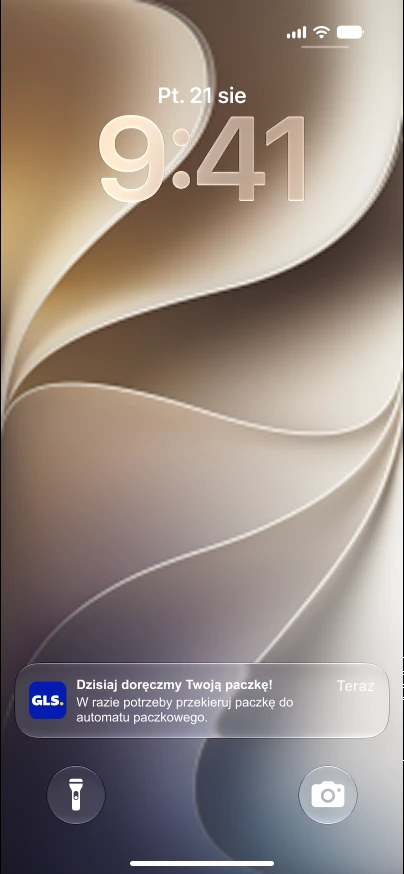
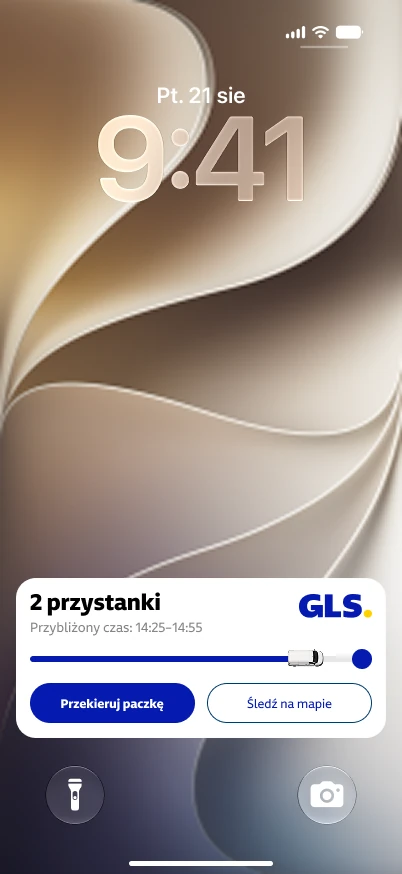
First mockups: the redirect on the day

  1. Lock screen with a GLS notification: Dzisiaj doręczymy Twoją paczkę! (We’ll deliver your parcel today!) W razie potrzeby przekieruj paczkę do automatu paczkowego. (If needed, redirect it to a parcel locker.)

    1Morning notification

    Delivery is today, and the redirect is named up front.

  2. Lock-screen widget: 2 przystanki (2 stops), Przybliżony czas 14:25–14:55 (approximate time), a progress bar with the courier’s van, and two buttons, Przekieruj paczkę (Redirect the parcel) and Śledź na mapie (Track on the map)

    2Lock-screen widget

    Stops left, a time window and Redirect, without opening the app.

  3. Live Tracking with a yellow Przekieruj paczkę (Redirect the parcel) button over the map, the route to the home, the courier 7 km away and an estimated 18–33 minutes

    3Redirect on the map

    The button stays on Live Tracking until the cutoff.

In development, from the first mockups.

How it shipped

A screen passed only if it matched my design.

The app runs on the design system I built, in light and dark mode. The external development team built it from my Figma specs and prototypes.

Gaps were settled in Jira, in quick calls or in working sessions where I sketched options live.

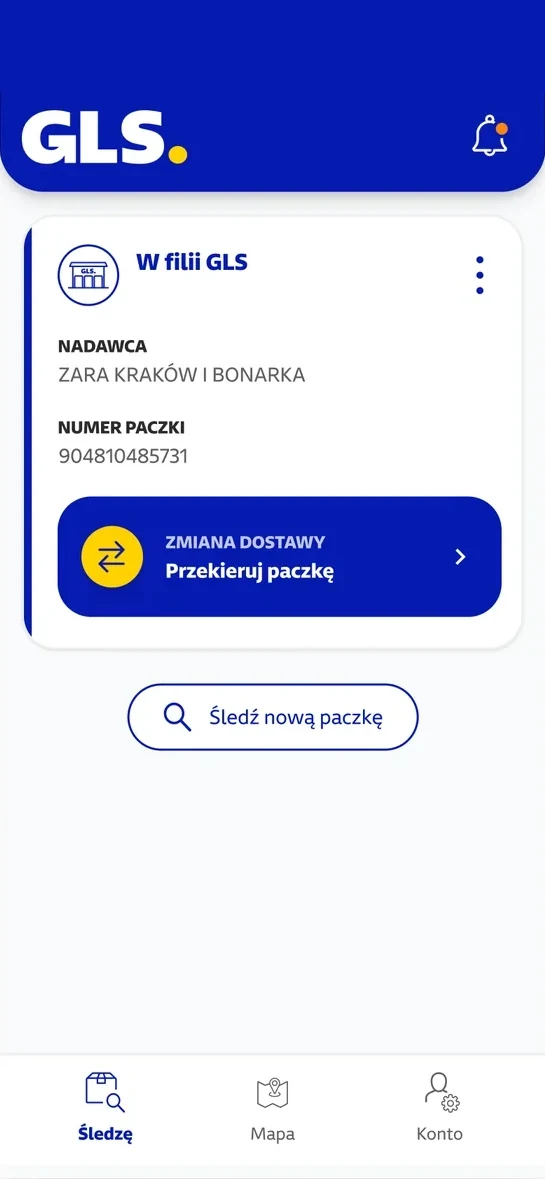
  • The parcel list in light mode: a parcel at a GLS branch, with Change delivery, Redirect the parcel
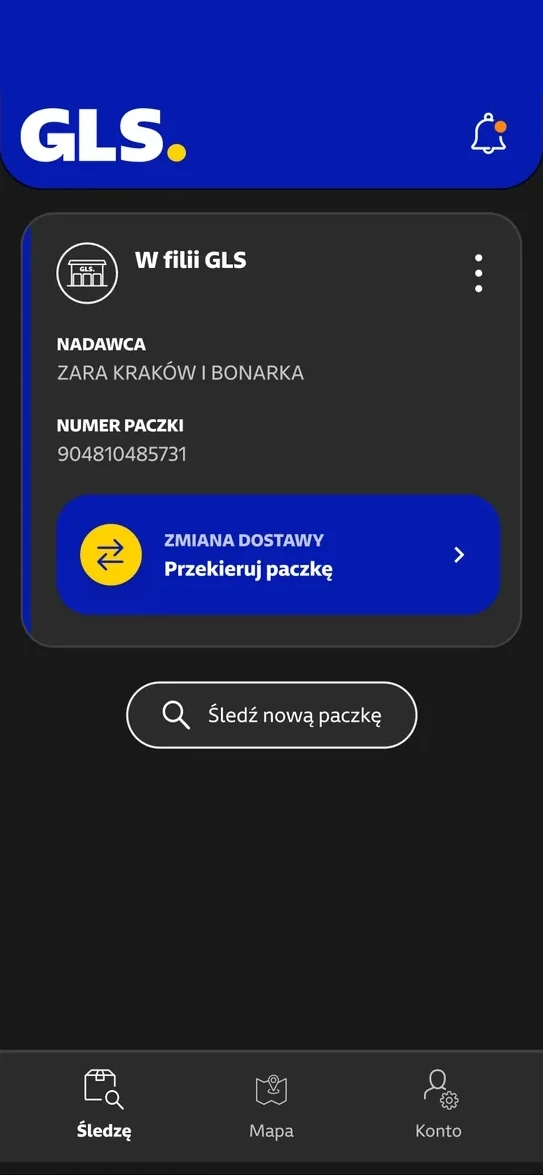
  • The same parcel list in dark mode
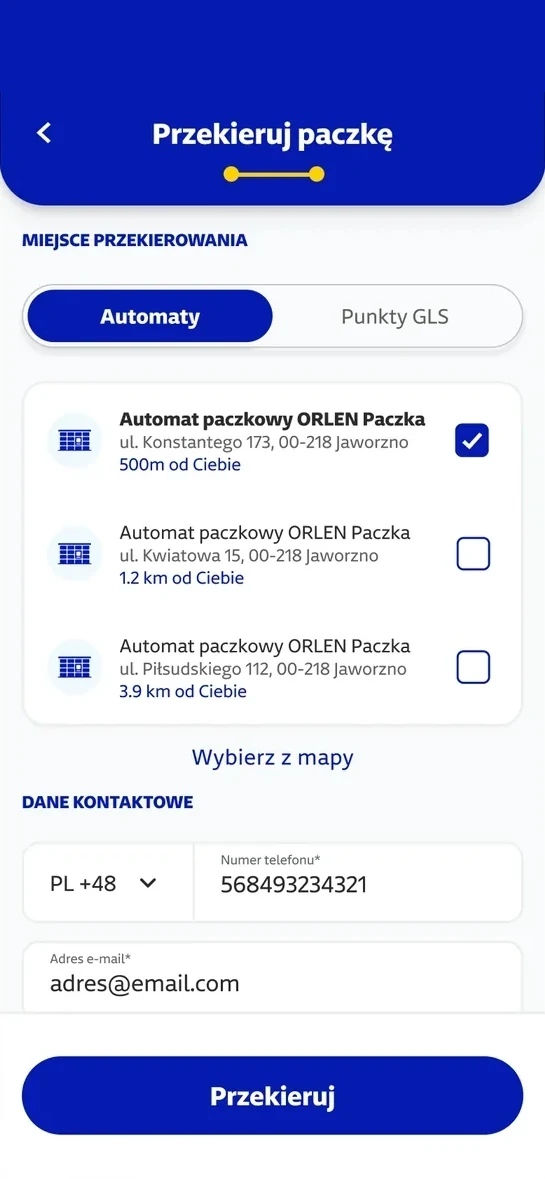
  • Redirect the parcel in light mode: lockers with their distance, one selected, and the contact details
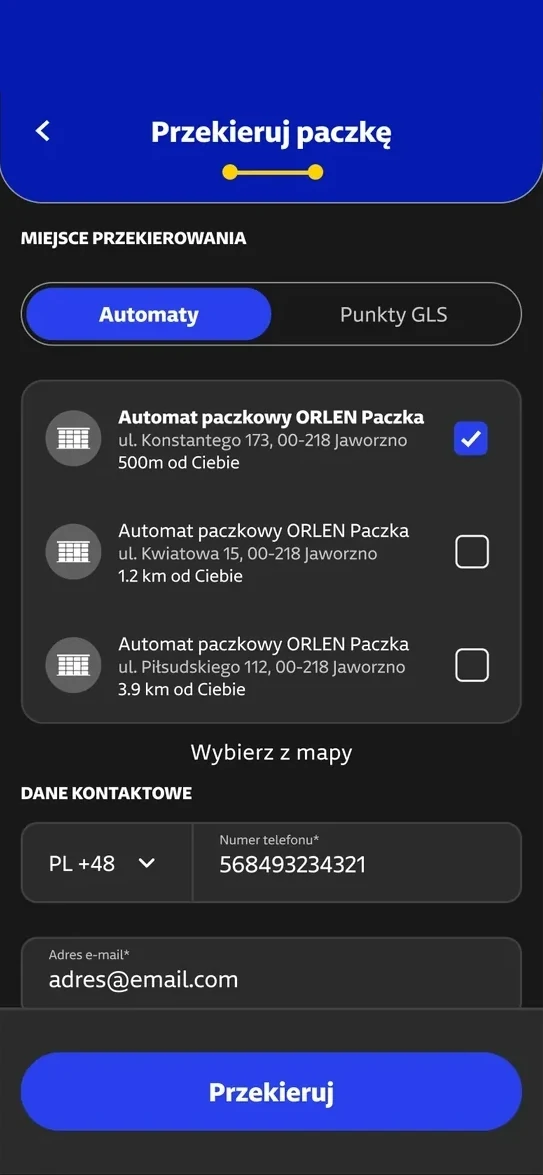
  • The same redirect screen in dark mode
The parcel list and the redirect, in light and dark mode, built from the myGLS design system.

05 Testing

Three fixesfrom outside GLS

I ran the tests. 30 GLS employees found 33 issues in the prototype; the 3 critical ones were fixed before round 2. Then 8 people outside GLS, family and friends of employees, found 3 more the employees had missed.

Round 1, prototype test: 30 GLS employees

Six tasks, from tracking a parcel to pricing an XL parcel to Spain.

33issues found

By severity
  • 3 critical
  • 12 major
  • 18 minor

Round 2, usability test: 8 people outside GLS

Family and friends of employees, May 2025.

3issues the employees had missed

All three fixes shipped

What I sawPeople skipped notifications because they were plain text.

What changedShort, scannable notifications, each with one action, such as “Won’t be home? There’s a 24/7 GLS pickup point nearby. Redirect your parcel.”

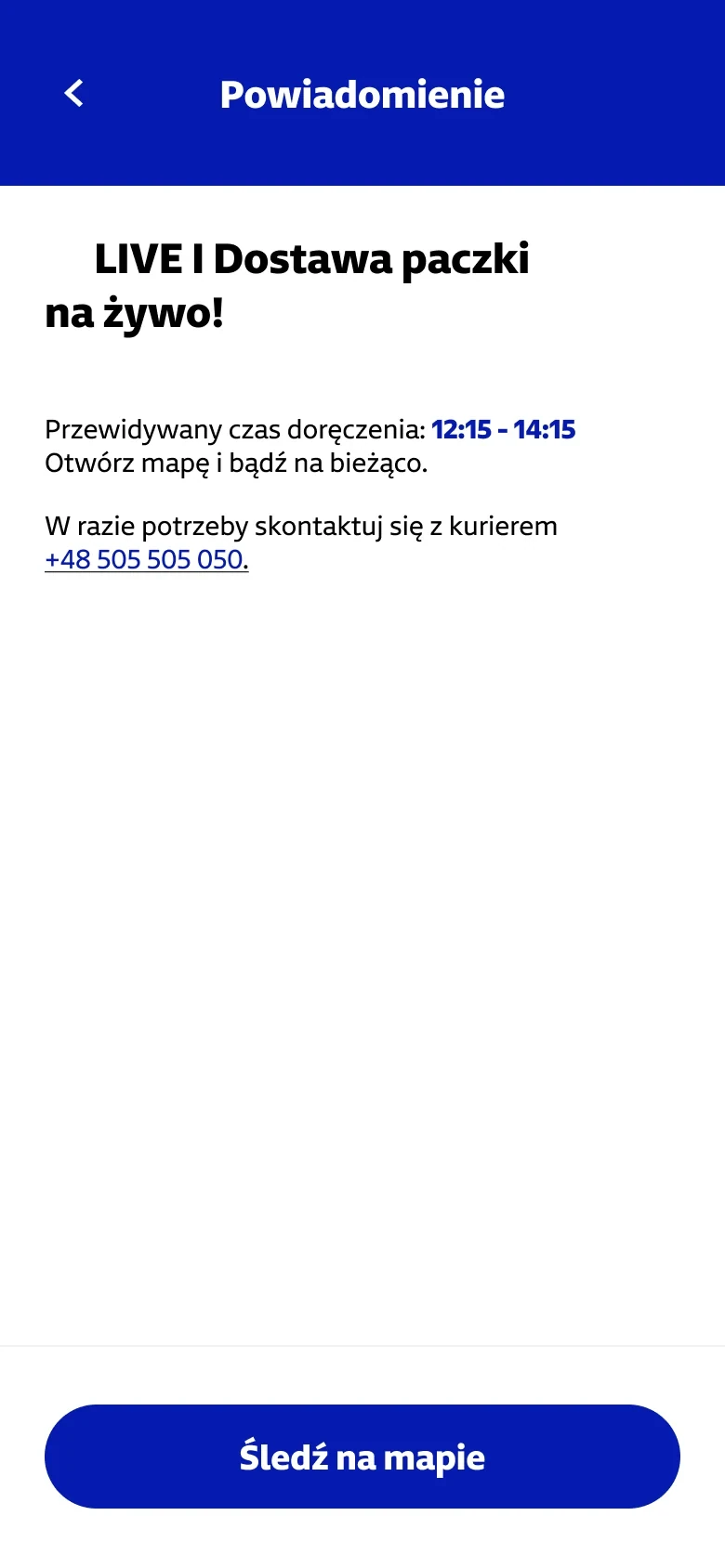
A Live Tracking notification: Live parcel delivery!, the expected delivery time 12:15–14:15, Open the map and stay up to date, the courier’s phone number, and one button, Track on the map
  1. The time firstExpected delivery, 12:15–14:15, right under the title.

  2. One actionTrack on the map, the only button.

  3. The courier’s numberThere if needed, below the time.

06 Outcomes

Recipients redirecton their own

Before the redesign, recipients could redirect only on the GLS website. The figure below counts home deliveries tracked in the app, so recipients who already follow their parcel. It is the closest signal to the cost per parcel.

What recipients do now

1 in 3

of home deliveries tracked in the app are redirected to a locker or pickup point.

From none to 1 in 3

  1. 0myGLS 1.0
  2. 15%Redirect launched
  3. 25%Notifications reworked
  4. 32–33%Today

Latest figure · GLS parcel tracking system

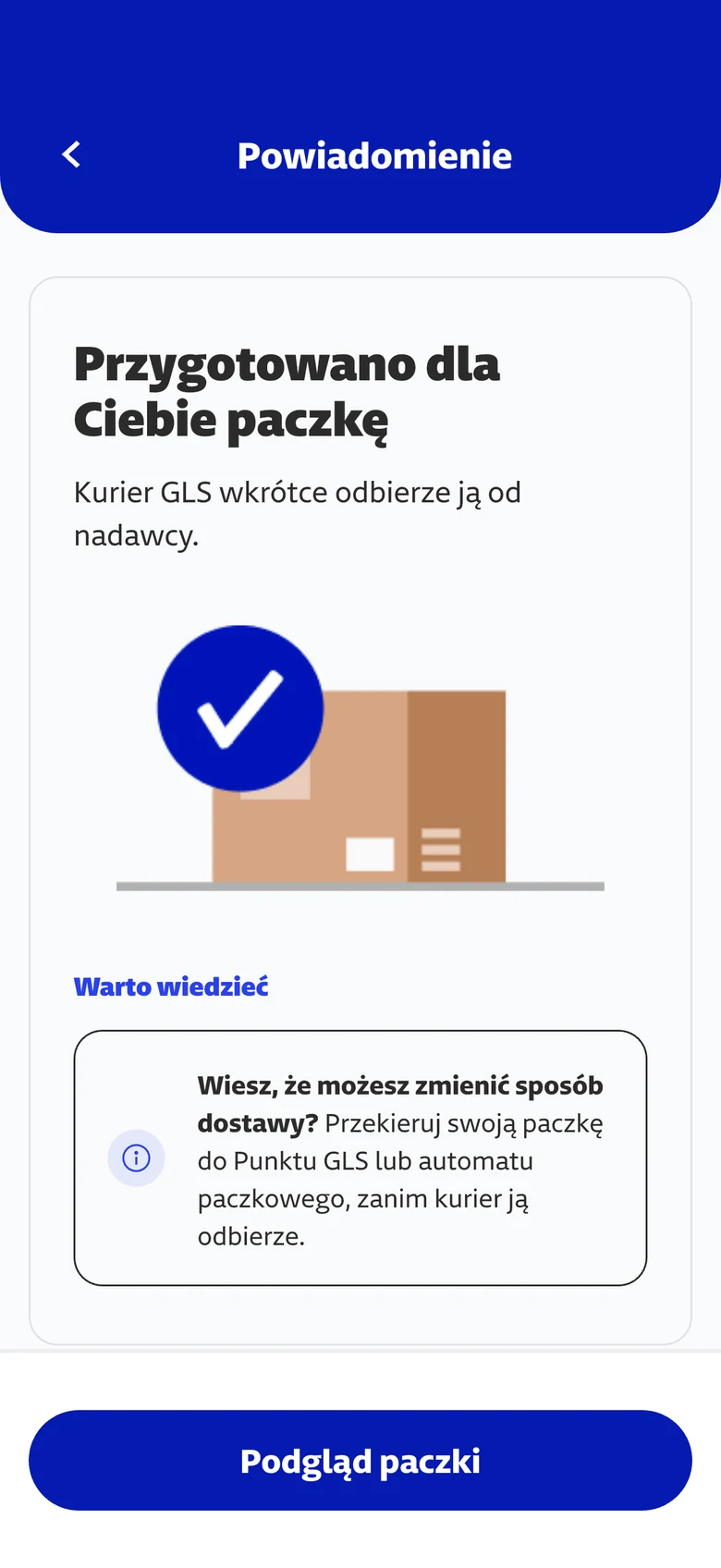
myGLS notification screen: Przygotowano dla Ciebie paczkę (Your parcel is ready). Kurier GLS wkrótce odbierze ją od nadawcy (A GLS courier will collect it from the sender soon). Warto wiedzieć (Good to know): Wiesz, że możesz zmienić sposób dostawy? Przekieruj swoją paczkę do Punktu GLS lub automatu paczkowego, zanim kurier ją odbierze (Did you know you can change the delivery? Redirect your parcel to a GLS point or parcel locker before the courier collects it). One button: Podgląd paczki (View the parcel).

Where most redirects start

The parcel-ready notification

Most redirects happen 1–2 days before delivery, after this notification: the parcel is ready, and a tip offers a GLS point or locker before the courier collects it.

What people said after release

Unprompted, in public posts and app reviews.

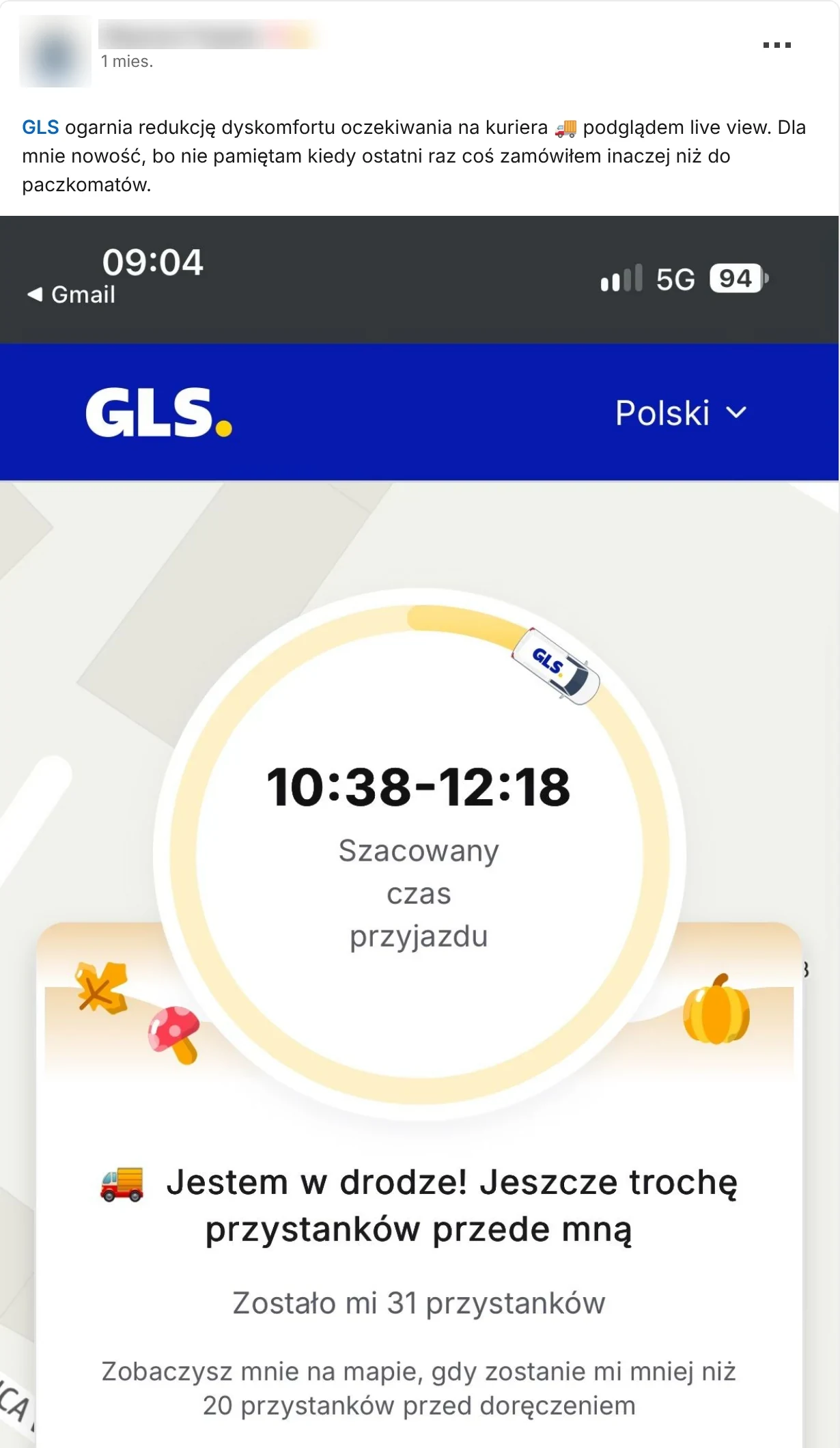
A LinkedIn post from October 2026, in Polish: GLS is tackling the discomfort of waiting for a courier with a live view. Below it, the author’s screenshot of GLS Live Tracking: an estimated arrival 10:38–12:18 and the courier’s status, I’m on my way, 31 stops left, you’ll see me on the map with fewer than 20
“GLS is tackling the discomfort of waiting for a courier with a live view.”LinkedIn post, Oct 2026, with the author’s own screenshot of Live Tracking. Personal data blurred.
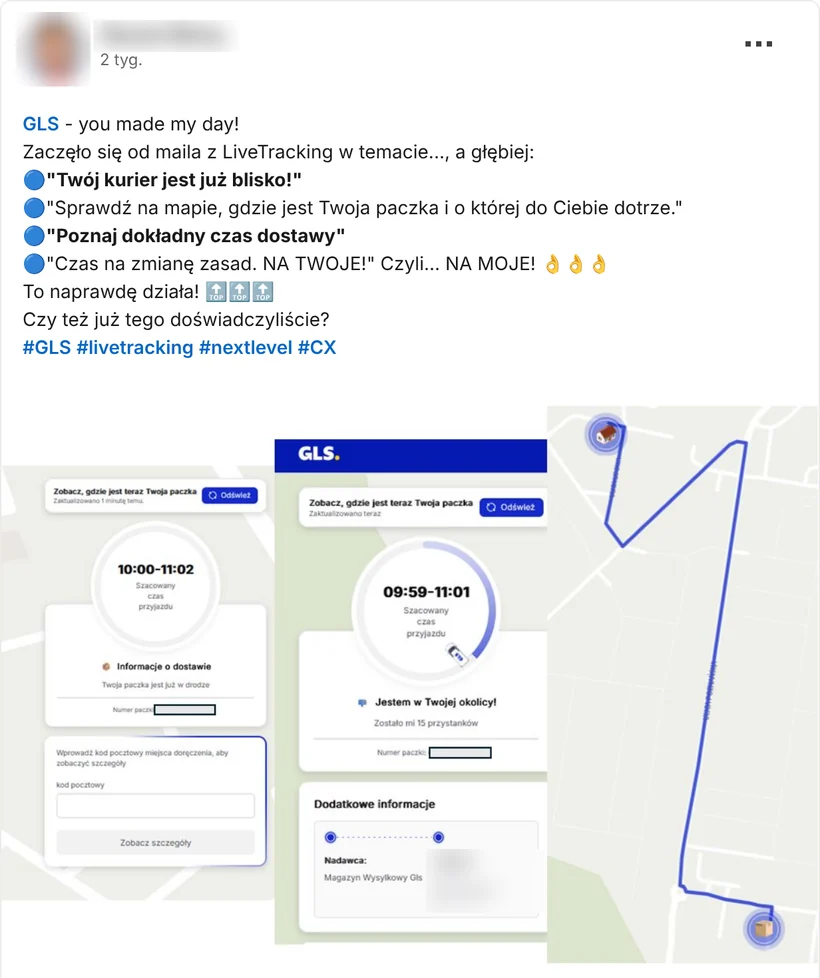
A LinkedIn post from November 2026, in Polish: GLS, you made my day! It started with a Live Tracking email: Your courier is close, see on the map where your parcel is and when it will reach you, get the exact delivery time. It really works! Below it, the author’s three screenshots of Live Tracking, one with the courier’s status, I’m in your area, 15 stops left
“GLS, you made my day! … It really works!”LinkedIn post, Nov 2026, with the author’s own screenshots of Live Tracking. Personal data blurred.
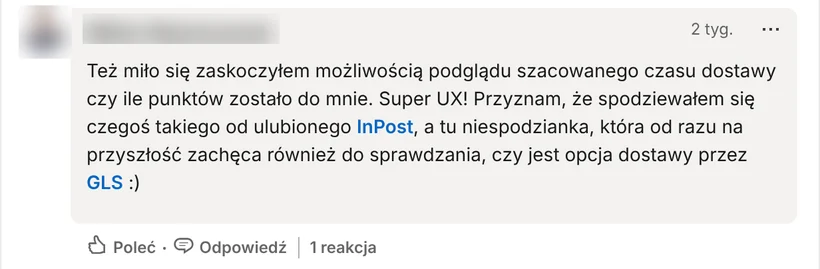
A LinkedIn comment under the same post, in Polish: I was pleasantly surprised too, by the estimated delivery time and how many stops were left before me. Great UX! I’d have expected something like this from my favourite, InPost, and this surprise makes me check, next time, whether GLS delivery is an option.
“Great UX! … this surprise makes me check, next time, whether GLS delivery is an option.”LinkedIn comment, Nov 2026. Personal data blurred.

Planning the pickup

“Being able to see on the map where the courier with my parcel is makes planning the pickup much easier.”

„…znacznie ułatwia planowanie odbioru”

App Store review · ★5 · Nov 2026

Translated from Polish and shortened. Authors aren’t named.

What the product achieved

Team results.

Google Play rating

Apr 20253.2
Sep 20254.7

In April 2025 the store app had only sign-in and an account, and it never asked for ratings.

Apr–Sep 2025 · Google Play

Monthly active users

300k+

Across iOS and Android.

Sep 2025 · Google Play, App Store, Piano Analytics

What I can claim

  • Recipients-first scope
  • Redirect flow, a locker first
  • Live Tracking UI and copy
  • Tracking flow
  • Notification sequence
  • Sending flow
  • Design system
  • Fixes from testing

Other factors

  • The ORLEN Paczka network: more lockers and points to redirect to
  • Bettermile’s arrival estimates
  • Regular releases that fixed reported issues
  • Growth in GLS parcel volume

07 Reflection

What I’d dodifferently

Four lessons, each tied to a chapter above.

  1. Ship the delivery-day redirect in the first release

    The app redirect shipped closing at the local depot, so a recipient whose plans change on the day still can’t redirect. The 15-minute rule fixes that, but only from Q4 2026. I’d have designed both together and pushed to release them as one.

    From 04 Decisions
  2. Measure the cost, not only the redirects

    Redirects show parcels moving from the door to lockers, but we had no data on “Where is my parcel?” calls, so I can’t put a number on the cost per parcel. Next time I’d agree that metric with the business owner before release.

    From 06 Outcomes
  3. Talk to recipients, not only read reviews

    Discovery relied on market reports and app reviews. Interviews would have tested, before release, my reading that recipients switch to a locker when the courier doesn’t fit their day.

    From 03 Discovery
  4. Test with people outside GLS first

    Thirty employees were fast to recruit, but they know GLS from the inside, and the people outside found what they missed. Next time I’d start with them.

    From 05 Testing

Contact

Let’s work together.

I’m looking for a product design role where I can work directly with users and help the team decide what to build next. I’m based in Poznań and open to remote work, hybrid roles or relocation.